Prototyping and Wireframing with Figma: Creating Low Fidelity and High Fidelity Mockups to Validate UI UX Concepts with Stakeholders Before Development

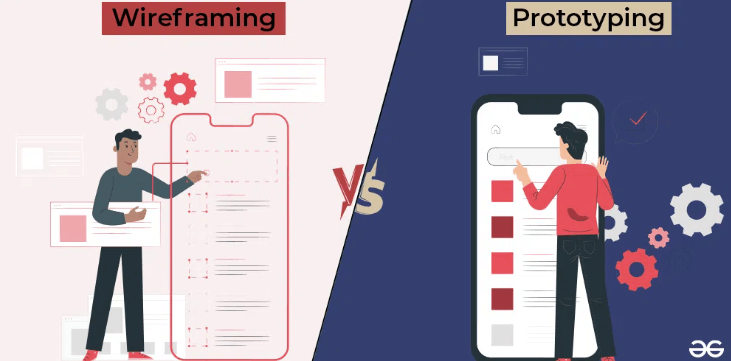
Prototyping and wireframing are practical ways to reduce rework in digital projects. Instead of relying on long requirement documents alone, teams can visualise a user journey, validate assumptions, and confirm interactions before a single line of code is written. Figma has become a preferred tool for this because it supports quick wireframes, detailed UI mockups, and clickable prototypes in one place. For professionals who are learning product thinking through a business analyst course in hyderabad, Figma skills add strong value because they improve communication between stakeholders, designers, and developers.
Why Prototyping Matters Before Development
A common cause of project delay is misunderstanding. Stakeholders may agree to requirements in writing, but imagine the interface differently. Developers may implement features correctly but miss the user flow expectations. Prototyping solves this by making the experience visible.
Wireframes clarify the structure of a screen, such as the placement of navigation, content blocks, and call-to-action elements. Prototypes go further by simulating how users move between screens. When stakeholders can click through a flow, they can confirm whether it matches the intent of the business process.
Early visual validation also improves estimation. When the team sees screens and interactions, they can identify complexity such as conditional logic, edge cases, and data dependencies. This makes sprint planning more accurate and reduces late-stage surprises.


Low Fidelity Wireframes in Figma: Speed and Clarity
Low-fidelity wireframes are simple sketches of screen layout. They focus on what goes where, not on colours, typography, or branding. In Figma, you can create low-fidelity wireframes quickly using basic shapes, text, and reusable components.
When to use low-fidelity wireframes
Low fidelity is ideal during requirement discovery and early stakeholder discussions. Use it when you want quick feedback on information hierarchy, flow sequence, and functional needs. It is also useful when the team is still exploring multiple options.
How to structure low-fidelity wireframes
Start by mapping the core journey. Identify entry points, key actions, and success outcomes. Create one frame per major step, such as login, search, selection, checkout, and confirmation. Keep labels clear. For example, use simple terms like Primary button, Dropdown, and Error message.
Add notes directly on the frame to capture assumptions. For instance, mention if a field is mandatory, if there are validation rules, or if data comes from an external API. These notes help developers and testers later.
High Fidelity Mockups: Designing for Realistic Validation
High-fidelity mockups represent the near-final UI. They include spacing, visual hierarchy, typography, colours, icons, and component states. In Figma, high fidelity work becomes efficient when you use a design system and consistent components.
Why high fidelity is important
High-fidelity mockups help stakeholders validate usability and brand alignment. They also support accessibility and responsiveness discussions. For example, you can test if text sizes are readable, if contrast is sufficient, and if important actions are visible without scrolling.
High-fidelity mockups are especially useful when multiple teams are involved. Marketing, compliance, and leadership often give faster approvals when they can see a realistic screen instead of a plain wireframe.
Key details to include
Include common states such as empty state, loading state, error state, and success confirmation. Many project gaps appear in these states because they are not always documented. Also include responsive versions for desktop and mobile where relevant.
See also: Business Class Air Tickets to India – Luxury Travel Made Easy
Clickable Prototypes: Turning Screens into a Testable Flow
Prototypes connect frames with interactions. In Figma, you can link buttons, menus, and cards to other screens and define transitions. Even a simple click-through prototype can answer important questions, such as whether users can complete tasks easily.
Stakeholder validation checklist
Use prototypes to validate flow logic. Confirm that the user can reach the goal with minimal steps. Confirm that form fields match business rules. Confirm that error messages are clear. Confirm that role-based access is handled, if applicable.
If you are training through a business analyst course in hyderabad, practise running a short prototype review session. Start with the user goal, then walk through the flow, then capture feedback as actionable change requests. This habit builds strong facilitation skills.
Best Practices for Business Analysts Using Figma
Business analysts do not need to replace UI designers, but they can use Figma to express requirements clearly.
Use consistent naming for frames, such as Checkout Step 1 or Profile Edit. Add requirement IDs or user story IDs in the description. Maintain a version history so stakeholders know what changed.
Keep feedback organised. Use comments in Figma for specific UI points and track decisions in a separate log. Also, align every screen with acceptance criteria so testers can build test cases from the validated flow.
Conclusion
Prototyping and wireframing with Figma improve clarity, reduce miscommunication, and help teams validate UI UX concepts before development begins. Low-fidelity wireframes speed up early alignment, high-fidelity mockups enable realistic review, and clickable prototypes make journeys testable. When used with simple discipline and clear stakeholder reviews, Figma becomes a practical bridge between requirements and delivery.